BetterWM arranges windows in columns when you ask it to and leaves them alone when you don't. Hold ⌥ while dragging to drop a window into place, switch desktops instantly, and swipe between them like Spaces.
brew install --cask nanot1m/tap/betterwm
Two layouts cover everything: columns when you want to see windows side by side, a stack when one window at a time deserves the whole screen.
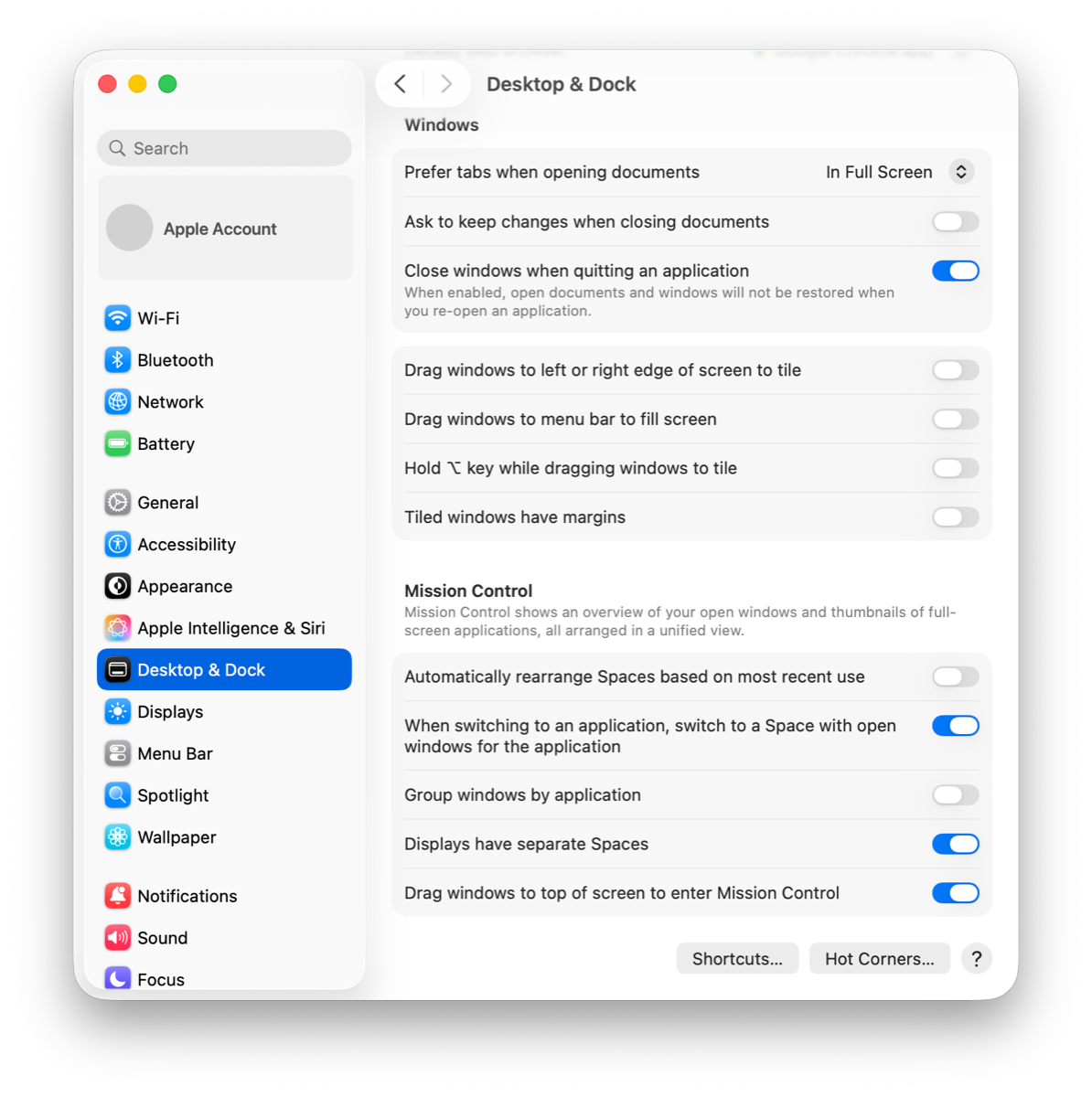
BetterWM takes over what Mission Control did. Three settings keep the two from fighting.
BetterWM's desktops replace macOS Spaces: they switch instantly, keep their layouts, and follow their display. Extra native desktops only add a second, slower set of places for windows to hide.
Mission Control: close every desktop but the first on each display. Keep "Displays have separate Spaces" on.
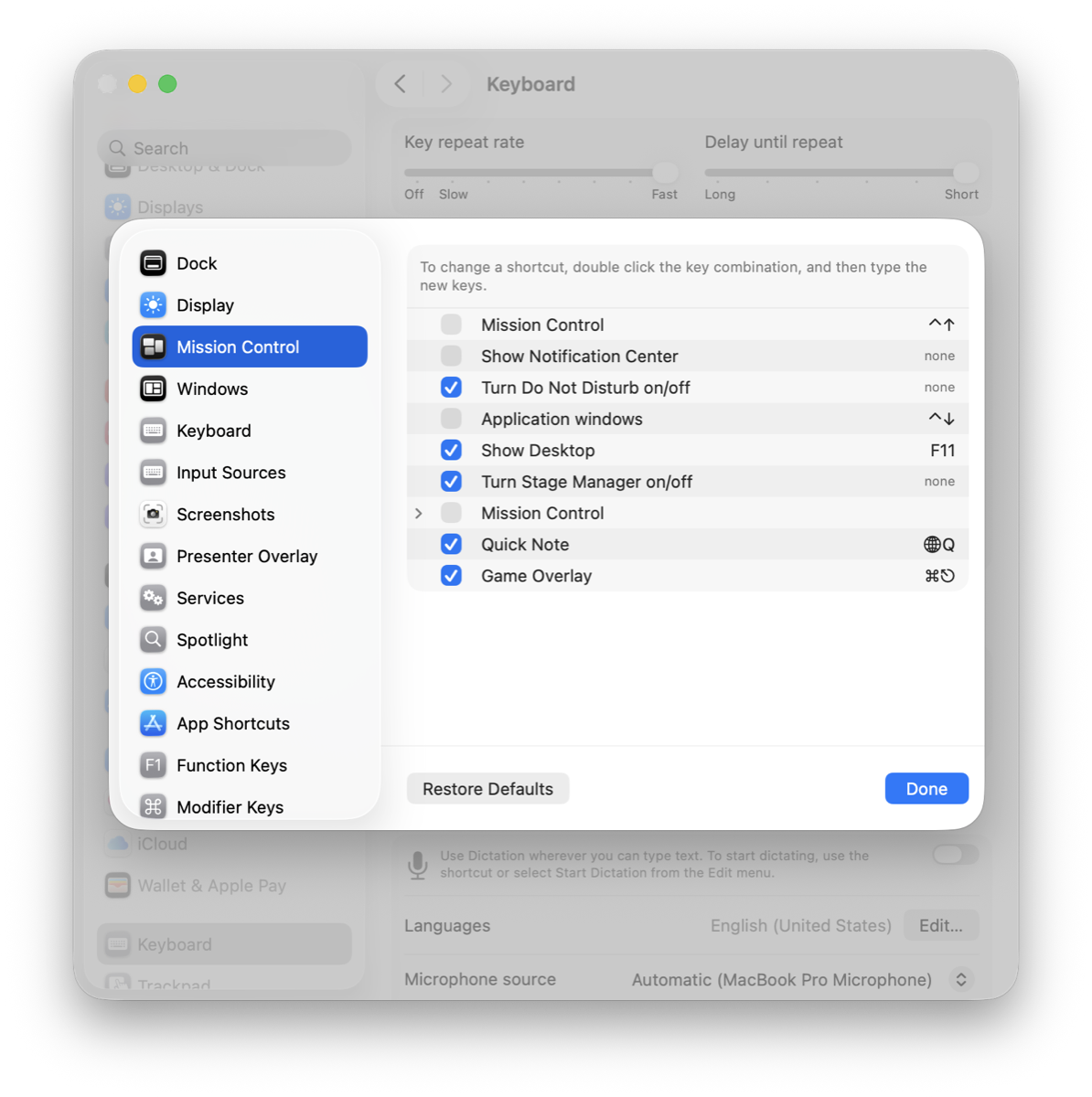
macOS claims ⌃← ⌃→ and ⌃1–⌃9 for its own desktops, so they never reach BetterWM until you turn them off.
System Settings › Keyboard › Keyboard Shortcuts › Mission Control: untick both Mission Control rows and Application windows.
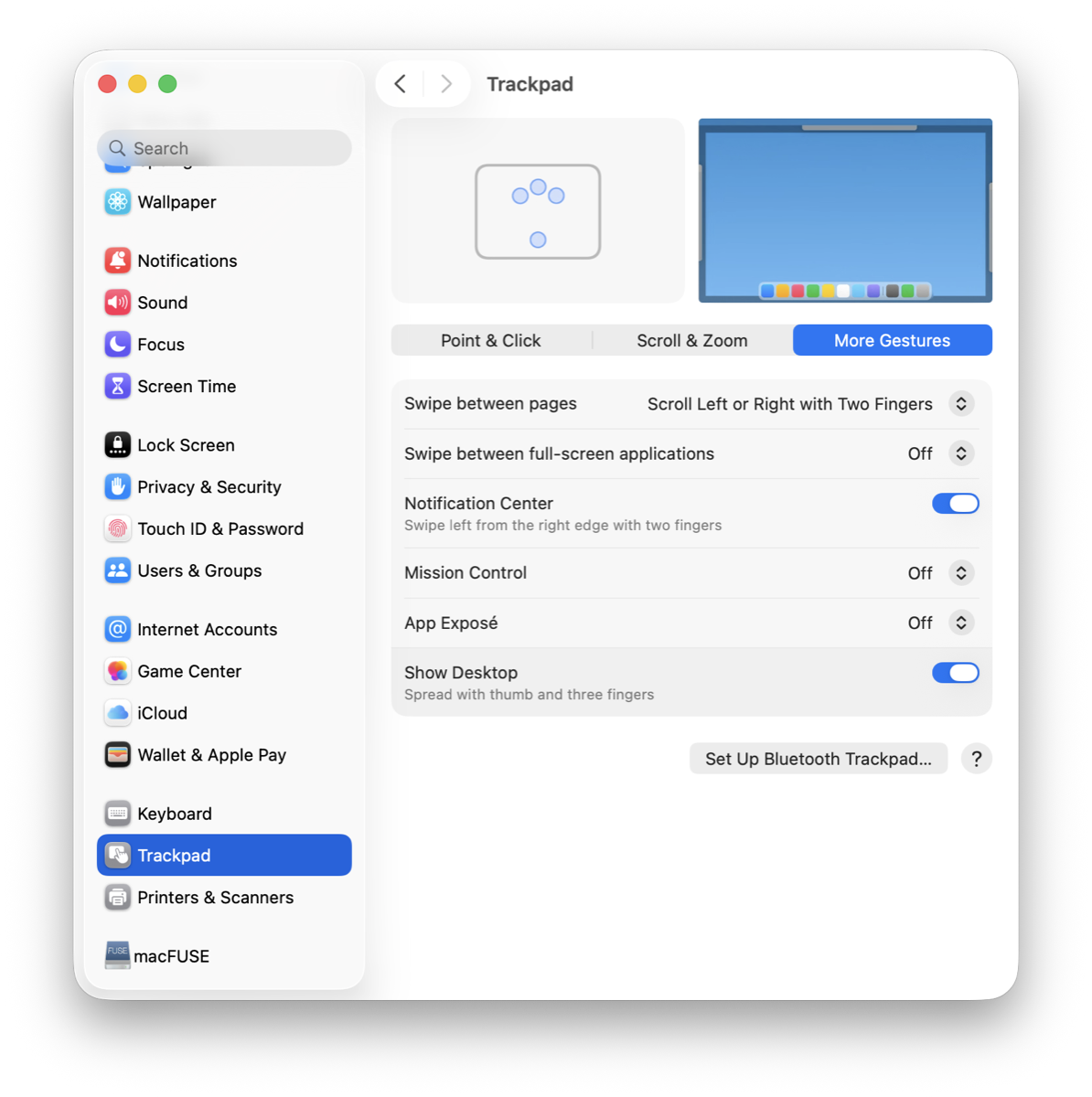
Turn off the Mission Control swipe and let BetterWM's three- or four-finger swipe move between its desktops instead. The Mission Control key then opens BetterWM's overview.
System Settings › Trackpad › More Gestures: Mission Control, App Exposé and Swipe between full-screen applications set to Off.
Windows you haven't tiled stay normal, freely movable windows. Tiling is a gesture, not a mode you live in.
Columns across the screen, windows stacked within a column. Drag the gaps to resize, or switch a screen to a stacked deck.
Hold ⌥ during a drag and drop zones light up. Release to tile; a plain drag keeps the window floating where you put it.
Workspaces per macOS desktop, created on demand, reorderable, remembered across launches. No slide animation to wait for.
A Mission Control style overview of every desktop with live previews. Open it with the Mission Control key or a swipe up.
Three- or four-finger swipes slide desktops in like Spaces, following your fingers, and reach fullscreen apps past the last one.
Desktops with app icons, the focused window, now playing, sound, Wi-Fi, battery and a clock. Reorder or drop any widget.
An outline that matches each window's corner radius, in one colour for tiled windows and another for floating ones.
Grids, floating windows and the active desktop come back after a relaunch, an app restart or a display being unplugged.
Optional pixel cats roam the status bar, chase your cursor, nap, and leap through portals around the notch.

Every action has a global hotkey and a place in the menu. All bindings are editable in Settings, and a popup on ⌥⌘Space lists them when you forget.
All actions and defaultsReleases are signed with a Developer ID and notarized by Apple, so the app opens like any other.
Or download the zip from the latest release and move the app to Applications.
brew install --cask nanot1m/tap/betterwm
A welcome window links straight to the right System Settings pane. Screen Recording is optional and only adds window previews.
That's the whole tutorial; how it works shows the rest. The getting started guide covers the rest.